Unlike my other projects, it will be harder to demonstrate my CPU project.
Since most of the work happens in the backend, there really isn't any
visualization for me to demonstrate. I will try to explain what were the main
points achieved in my project. I've linked my project to my github if you
click the top button.
For my CPU project, a few milestones needed to be reached before moving
to more advance coding. For the first part, I needed to code the processes
that the computer will have to run during Kernel mode. This is where I check
that the computer is not running in User mode, and running my processes in
multi-thread. The second part is allowing user-level processes to use system
services, but not directly called it in user mode either. This is where I
will code in drivers to handle these kernel processes such as clock and
disk drivers. Finally, the last part would be storing information in virtual
memory. I used paging to have a specific size of chunk, and used page replacement
algorithm such as FIFO, MIN, LRU, and LFU to sort these pages into open space.
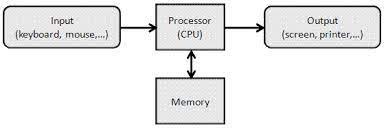
For the first phase, I coded in processes to be created in Kernel mode. Each process
will be unique by having an ID. These processes will be used later to
store information, removing, or whatever role they are given.
Once my processes are coded, then I have to code
in locks
and conditions. This allow me
to use threads to allow certain processes to be run first before other, aka
mutual exclusion and critical section. You can view how I code this part
in my project page
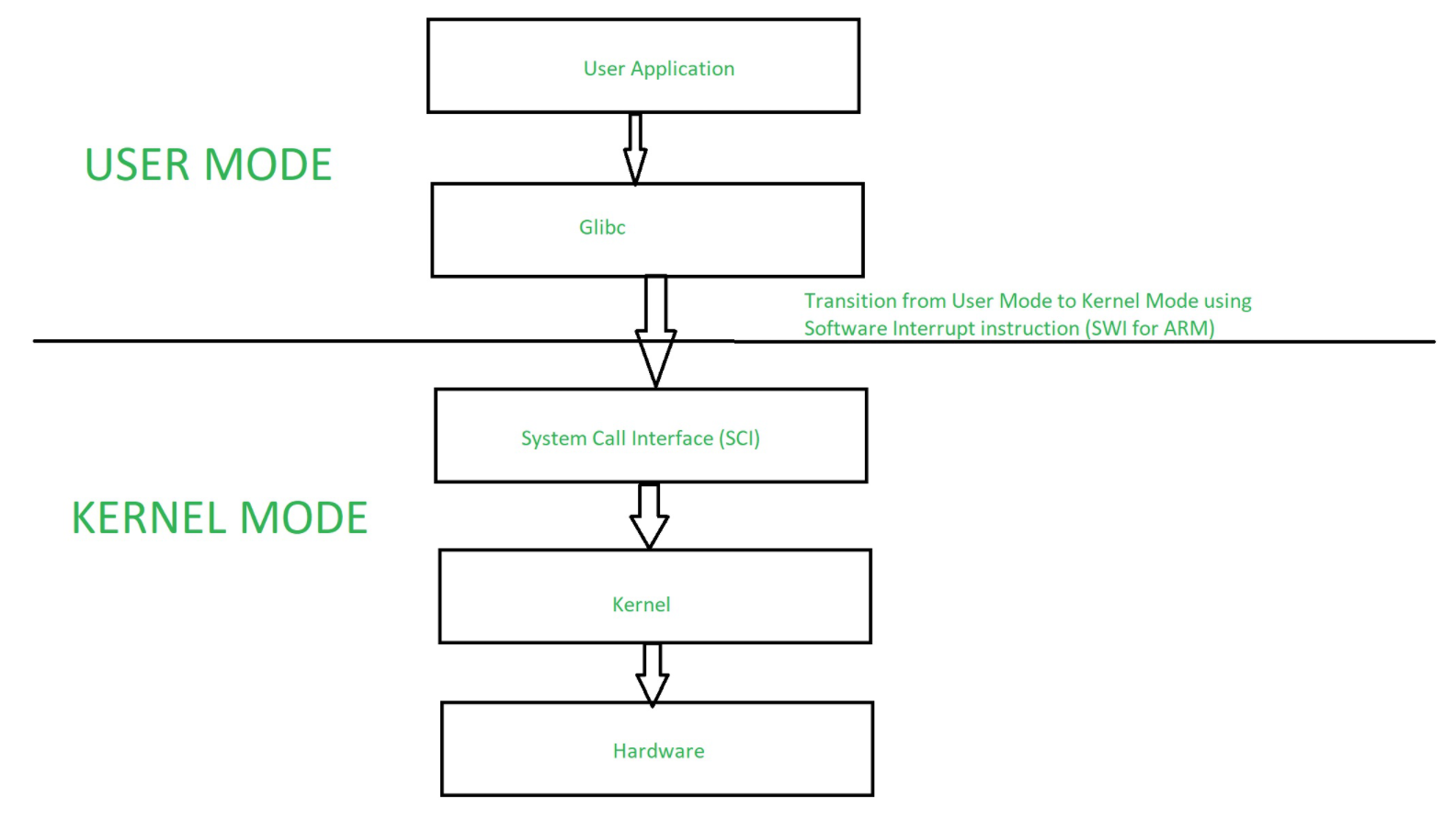
Now that I had working processes, my next task is for user processes to call kernel
processes. This would allow system calls.
to handle kernel processes like calling 'Wait' for a proccess
to hault, 'Terminate' to delete a process, 'GetPid' to get the process' ID,
and 'GetTimeOfDay' to get the time of the day set on the CPU. All of these
handlers are stored inside an array of Interrupt Vectors. Depending if it is
an Illegal Interrupt or System Call, it will call certain handlers to deal with
the issue. Since these handlers are very important, they will be proccesses run at number 1
priority over any other processes. Furthermore, now that I have handlers set up, I
can code in Disk write and read. User processes can call Kernel processes to handle
writing and reading of disks. This will build up the code to manage memory in
virtual space for my last part. View Phase2A-Phase2D for this part.
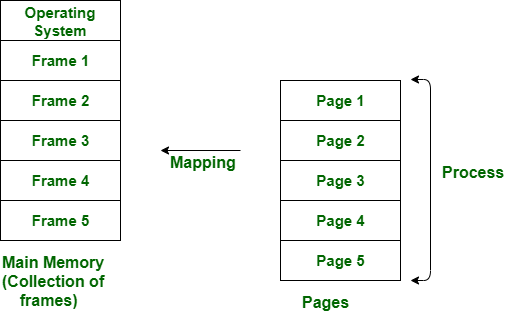
When it came to storing data into memory, I used virtual addresses in order to
give them a position in the storage space. I approached it through paging in
frames. These frames are giving a process ID
to distinguish it from other processes, page boolean to see if it's set up, and
a free boolean to see if that area is free to be accessed or not. I set up an array size
of pages called Page Table. This is where all the pages would be allocated into. Check
phase3A-Phase3B for this part.
For this project, I learned how to multi-thread with process and making sure that
processes start, stop, or terminate at the correct time. Otherwise, the
CPU's memory management would be all over the place. I coded my own virtual
memory space where pages are assigned into and apply algorithms to store them
in the fastest and least space possible. I wrote into disk and read them from
a user level by making kernel mode do all the work. This would prevent user mode
from damaging any part of the CPU if they had full access of kernel mode.